
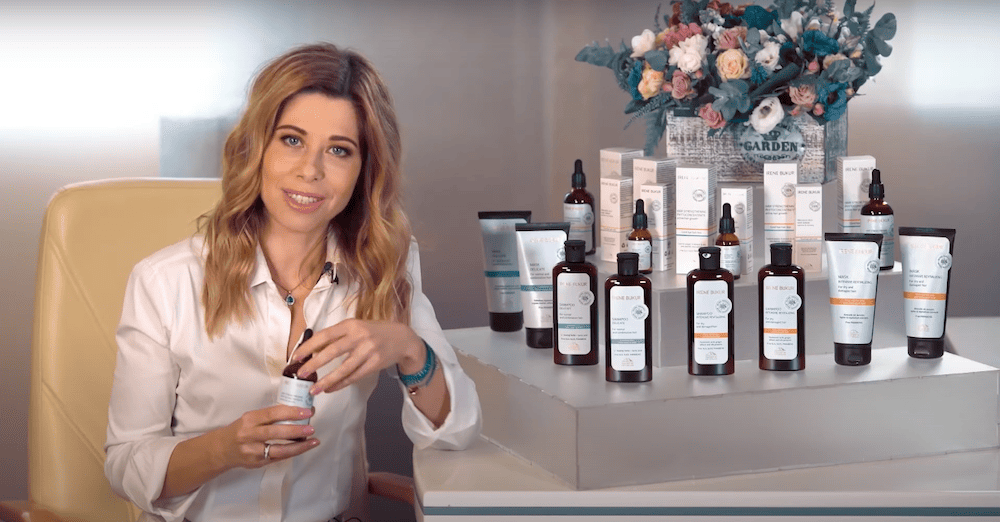
How to Film Interview Videos That Keep Viewers Watching
When it comes to filming an interview video, one of the most crucial decisions you’ll make is choosing the right location. The setting can significantly impact the overall quality and effectiveness of your video, so it’s important to give this step careful consideration.
First and foremost, consider the background of the location. Look for a clean, uncluttered area that is visually appealing and free from distractions. A tidy background will help keep the focus on the interviewee and their responses, rather than what’s happening behind them.
Additionally, think about the lighting in the location. Natural light is often the best choice for capturing a flattering image, so if possible, choose a spot with plenty of natural light streaming in. If you’re filming indoors, make sure the room is well-lit with additional lighting sources to ensure the interviewee is well-lit and easily visible on camera.
Sound quality is another important factor to consider when selecting a filming location. Choose a place that is relatively quiet and free from background noise that could disrupt the interview. Avoid areas near busy roads, loud machinery, or other sources of potential noise pollution.
Lastly, consider the overall atmosphere of the location. Look for a spot that is comfortable and conducive to open communication. The interviewee should feel at ease and relaxed during the filming process, which will help bring out the best in their responses.
- Choose a clean, uncluttered background to keep the focus on the interviewee.
- Opt for a location with ample natural light for a flattering image.
- Ensure the room is well-lit with additional lighting sources if filming indoors.
- Select a quiet location free from background noise for clear sound quality.
- Pick a comfortable spot that encourages open communication and relaxation.
Set up proper lighting and sound equipment to ensure high-quality footage
When filming interview videos, one of the key factors that can make or break your final product is the quality of the lighting and sound. Without proper lighting, your video may appear dark and unclear, while poor sound quality can make it hard for viewers to hear the conversation.
Investing in quality lighting equipment, such as softboxes or LED panels, can help ensure that your subjects are well-lit and easy to see on camera. Position your lights strategically to avoid harsh shadows or overly bright spots. You may also want to consider using a reflector to bounce light onto your subjects and create a more flattering look.
It’s equally important to pay attention to sound quality when filming interviews. No matter how visually appealing your video is, viewers will quickly lose interest if they struggle to hear what is being said. Use a high-quality microphone, such as a lavalier or shotgun mic, to capture clear audio. Make sure to monitor the sound levels throughout the filming process to avoid any unwanted background noise or distortions.
- Place microphones close to the subject’s mouth to pick up their voice clearly.
- Use a windscreen or foam cover to reduce interference from wind or breathing sounds.
- Consider using a separate audio recorder to ensure high-quality sound that is not affected by the camera’s internal microphone.
Remember that good lighting and sound equipment doesn’t have to break the bank. There are affordable options available that can still provide professional results. Take the time to experiment with different setups and equipment to find what works best for your specific needs.
By setting up proper lighting and sound equipment, you can ensure that your interview videos look and sound great, keeping viewers engaged from start to finish.
Select a suitable camera and tripod for stable shots during the interview
One of the most crucial elements of creating a professional-looking interview video is choosing the right camera and tripod. The camera you select will play a significant role in the quality of your footage, while a stable tripod will ensure that your shots are steady and clear throughout the interview.
- Camera: When it comes to selecting a camera for filming interviews, there are a few key factors to consider. Look for a camera with good resolution and low-light capabilities to ensure your footage looks crisp and clear. It’s also important to choose a camera with manual settings so you can adjust things like focus, exposure, and white balance as needed.
- Tripod: A tripod is essential for keeping your shots steady and professional-looking. When choosing a tripod, look for one that is sturdy and adjustable to accommodate various angles and heights. Make sure the tripod has a fluid head that allows for smooth panning and tilting movements during the interview.
When setting up your camera and tripod, be sure to test different angles and perspectives to find the most visually appealing shot. Position the camera at eye level with the interviewee to create a natural and engaging feel. Remember to adjust the tripod height and tilt to frame the shot correctly, ensuring that both the interviewer and interviewee are captured in the frame.
During the interview, pay attention to the composition of your shots and make adjustments as needed to keep the visuals interesting and engaging. Use the tripod to smoothly pan or tilt to different shots to add variety and visual interest to your video.
Ultimately, selecting the right camera and tripod for your interview video is essential for capturing high-quality footage and keeping viewers engaged. The camera and tripod you choose can make a significant impact on the overall production value of your video, so take the time to choose wisely and set them up properly for a successful interview shoot.
Prepare a List of Interview Questions to Keep the Conversation Engaging and Flowing
One key element to filming interview videos that keep viewers watching is the questions you ask. By preparing a list of thoughtful and engaging questions, you can ensure that the conversation flows smoothly and keeps the audience interested.
- Start with Ice-breakers: Begin the interview with some light-hearted questions to help the interviewee relax and warm up. This can help set a positive tone for the rest of the conversation.
- Ask Open-Ended Questions: Instead of yes or no questions, opt for open-ended ones that encourage the interviewee to share their thoughts and stories. This can lead to more interesting and in-depth responses.
- Focus on the Interviewee’s Expertise: Tailor your questions to highlight the interviewee’s area of expertise or unique perspective. This can make the conversation more informative and engaging for viewers.
- Follow Up with Probing Questions: Don’t be afraid to dive deeper into a topic by asking follow-up questions based on the interviewee’s responses. This can lead to more meaningful conversations and insights.
- Incorporate Personal Anecdotes: Asking personal questions can help the interviewee connect with the audience on a more intimate level. This can make the video more relatable and engaging for viewers.
By carefully crafting a list of interview questions that cover a range of topics and engage the interviewee, you can create a dynamic and compelling video that captivates viewers from start to finish. Remember to be flexible and improvise when necessary to keep the conversation natural and authentic.
Conduct a Pre-Interview Meeting for a Great Connection
Before the cameras start rolling, it’s important to meet with your interviewee to build a connection and make sure everyone is on the same page. This pre-interview meeting is a chance to establish rapport, set expectations, and ensure a smooth filming process.
- Introduce Yourself: Start by introducing yourself and explaining your role in the project. This helps the interviewee feel more comfortable and understand your perspective.
- Get to Know Them: Take the time to learn about the interviewee’s background, interests, and any topics they are passionate about. This will help you tailor your questions and make the conversation more engaging.
- Discuss Expectations: Clearly outline what the interview will entail, including the length, format, and any specific topics that will be covered. Make sure the interviewee knows what to expect and feels prepared.
- Address Any Concerns: Give the interviewee the opportunity to ask questions or raise any concerns they may have. It’s important to address any potential issues before filming begins.
By conducting a pre-interview meeting, you can establish a positive connection with your interviewee, ensure they are comfortable and confident on camera, and set the stage for a successful filming experience.
Provide Clear Instructions to the Interviewee on How to Behave on Camera
When filming an interview video, it is essential to ensure that the interviewee is comfortable and acts appropriately on camera. Here are some simple yet important instructions to give to the person you are interviewing:
- Relax: Remind the interviewee to relax and be themselves. A natural and authentic demeanor will resonate with viewers more effectively than a forced or scripted performance.
- Speak Clearly: Encourage the interviewee to speak clearly and at a moderate pace. This will make it easier for viewers to understand the content of the interview.
- Make Eye Contact: Instruct the interviewee to maintain eye contact with the interviewer or the camera lens. This will create a sense of connection with the audience.
- Avoid Distractions: Advise the interviewee to avoid fidgeting, looking off-camera, or making distracting movements. These actions can take away from the focus of the interview.
- Be Engaging: Encourage the interviewee to be engaging and enthusiastic during the interview. A lively conversation will keep viewers interested and entertained.
- Follow Instructions: Provide clear guidance on how to respond to questions and prompts during the interview. This will help ensure a smooth and seamless recording process.
- Dress Appropriately: Suggest appropriate attire for the interview, depending on the tone and topic of the video. Dressing professionally or in a way that aligns with the subject matter will enhance the overall look of the video.
- Stay Calm: Remind the interviewee that it’s okay to make mistakes or stumble over words. Encourage them to stay calm and composed, as these moments can be edited out later.
By providing clear instructions to the interviewee on how to behave on camera, you can help ensure a successful and engaging interview video that keeps viewers watching until the end.
Avoid distractions in the background
One important aspect of filming interview videos is ensuring that there are no distractions in the background that could detract from the focus on the interview. A cluttered or noisy background can take away from the video’s professional look and feel, as well as distract viewers from the conversation happening in the foreground. Here are some tips to help you avoid distractions and keep the focus on the interview:
- Choose a clean, uncluttered background: Before setting up for your interview, carefully consider the background that will be visible in the frame. Choose a neutral, unobtrusive backdrop that won’t draw attention away from the interviewee.
- Eliminate unnecessary props or objects: Remove any extraneous items that could be distracting in the background, such as clutter, bright colors, or logos that could steal the viewer’s focus.
- Check for noise distractions: In addition to visual distractions, be mindful of any potential audio distractions in the background. Make sure to film in a quiet space free from loud noises like traffic, appliances, or people talking.
- Use depth of field to your advantage: To further minimize distractions in the background, consider using a shallow depth of field with your camera settings. This can help blur the background and keep the focus squarely on the interviewee.
- Position the interview subject strategically: When framing your shot, position the interviewee in a way that minimizes distractions in the background. Avoid having busy or cluttered backgrounds directly behind the interviewee.
- Consider using a backdrop or set design: If your filming location doesn’t have an ideal background, you may want to consider using a backdrop or creating a simple set design to ensure a clean and distraction-free background for your interview video.
By being intentional about the background of your interview videos and taking steps to eliminate distractions, you can create a polished and professional-looking final product that keeps viewers engaged and focused on the content of the interview.
Shoot B-roll Footage to Enhance Your Interview Video
One key element in creating engaging interview videos is utilizing B-roll footage. What exactly is B-roll footage? Simply put, it is supplemental footage that helps to enhance the main shots of the interview. By incorporating B-roll footage, you can break up the visual monotony of a standard interview and add visual interest for your viewers.
Imagine this – instead of solely focusing on the interviewee talking for the entire duration of the video, you can intersperse the footage with relevant visuals. These visuals can include clips of the interview setting, close-up shots of hands gesturing, or even shots of related activities. This not only adds variety to the video but it can also help to reinforce key points or emotions being discussed during the interview.
- B-roll footage can help to illustrate key points being made during the interview.
- It can add context to the conversation and provide additional information for viewers.
- Visuals can help to maintain viewer engagement and create a more dynamic viewing experience.
When it comes to shooting B-roll footage, consider the following tips:
- Plan ahead and determine what scenes or shots would complement the interview content.
- Keep the footage relevant to the discussion and make sure it enhances rather than distracts from the interview.
- Vary the camera angles and movements to keep the visuals interesting and dynamic.
- Ensure the lighting and sound quality of the B-roll footage matches that of the interview footage for a seamless viewing experience.
Remember, B-roll footage should be used strategically to enhance the overall quality of your interview video. It shouldn’t overshadow the main content but rather complement it and keep viewers engaged throughout the viewing experience.
Edit the video in a way that maintains audience engagement throughout
Editing plays a crucial role in keeping viewers hooked on your interview video. It allows you to trim out any errors or long pauses, as well as add in engaging transitions and effects to captivate your audience.
When editing your video, consider the pacing and flow of the conversation. Cut out any unnecessary dialogue or dead air to keep the energy high and the audience interested. You want to maintain a steady rhythm throughout the video to avoid losing your viewers’ attention.
Adding in some background music can also help in maintaining audience engagement. Choose music that matches the tone of the interview and enhances the overall viewing experience. However, be sure that the music doesn’t overpower the conversation or distract from the main content.
- Trim out errors and long pauses to keep the pacing smooth.
- Add engaging transitions and effects to captivate the audience.
- Consider adding background music that complements the tone of the interview.
Additionally, consider using text overlays or graphics to highlight key points or emphasize important information. This visual element can help to break up the video and keep viewers engaged throughout.
It’s also important to ensure the video’s overall length is appropriate. While it’s important to cover all necessary information, try to keep the video concise and to the point. Viewers are more likely to watch until the end if the video is engaging and doesn’t drag on.
Lastly, don’t forget to review and polish your final edit before publishing. Check for any technical glitches, audio issues, or visual inconsistencies that could detract from the viewer’s experience. A well-edited video will not only maintain audience engagement but also leave a positive impression on your viewers.
Add subtitles or captions for viewers who may be watching without sound
Adding subtitles or captions to your interview videos is essential to ensuring you reach a wider audience. Some viewers may be watching your content in a public place where they can’t turn on the sound, or they may have hearing impairments that make it difficult for them to follow along without visual aids. By including subtitles or captions, you make your video accessible to a broader range of viewers and enhance the overall viewing experience.
When adding subtitles or captions, be sure to keep them concise and easy to read. Use a font size and color that stand out against the background, making sure the text is legible on screens of all sizes. Avoid using overly complicated language or too much text at once, as this can overwhelm the viewer and detract from the main content of the video.
- Be sure to include all spoken dialogue in the subtitles so that viewers can follow along with the conversation. This includes not only what the interviewer and interviewee are saying but also any off-screen commentary or narration.
- Use timestamps to indicate when each line of dialogue should appear on screen. This helps viewers follow along with the flow of the conversation and ensures that the subtitles are synced up correctly with the audio.
- Consider adding descriptions for important sounds or gestures that may not be immediately obvious to viewers watching without sound. This can help provide context and make the viewing experience more enjoyable for all audiences.
Remember to review your subtitles carefully before finalizing them for your video. Check for any spelling or grammar errors, as well as ensuring that the timing is accurate and the text is synchronized correctly with the audio. Subtitles should enhance the viewing experience, not distract from it, so make sure they are seamless and complement the content of your interview video.
Include relevant graphics or animations to enhance the overall viewing experience
Adding graphics or animations to your interview video can significantly enhance the viewing experience for your audience. Visual aids are not only visually appealing but can also help to communicate information in a more engaging way.
When choosing graphics or animations to include in your video, make sure they are relevant to the topic being discussed. For example, if you are interviewing a chef about a new recipe, you could include animated images of the cooking process to visually demonstrate the steps involved.
- Use graphics or animations sparingly to avoid overwhelming the viewer.
- Ensure that the visuals compliment the content and don’t detract from the interview.
- Consider the style and tone of your video when selecting graphics or animations to maintain consistency.
Adding graphics or animations can help break up the interview footage and provide visual interest to keep viewers engaged. If your interview covers complex topics, visuals can also help simplify the information and make it more digestible for the audience.
Graphics and animations can also be used to reinforce key points made during the interview. For example, if the interviewee mentions a statistic or data point, you can display a graph or chart to visually represent the information.
Remember to consider accessibility when including graphics or animations in your video. Adding subtitles or captions to describe the visuals can ensure that all viewers, including those with hearing impairments, can fully engage with the content.
Overall, incorporating relevant graphics or animations into your interview video can enhance the overall viewing experience for your audience. Just remember to use them thoughtfully and strategically to complement the interview rather than distract from it.
End the video with a strong call-to-action
Once you’ve finished a great interview video, don’t forget the importance of having a strong call-to-action at the end. Your viewers have just spent valuable time watching your content, so make sure to give them clear direction on what to do next.
- Encourage Engagement: Ask your viewers to like, comment, and share the video. Engagement not only boosts your content’s visibility but also helps create a sense of community around your channel or brand.
- Direct Them to Your Website: If you have a website or blog where viewers can find more information about the topic discussed in the video, make sure to mention it at the end. Provide a direct link for easy access.
- Promote Your Products or Services: If you’re producing interview videos for a business or brand, use the call-to-action to promote your products or services. Offer a special discount code or exclusive deal to incentivize viewers to make a purchase.
- Subscribe to Your Channel: Building a loyal audience is essential for long-term success on platforms like YouTube. Encourage viewers to subscribe to your channel so they can be notified of future interviews and content.
Remember that the call-to-action should be concise, clear, and aligned with your overall goals for the video. Whether it’s driving traffic to your website, increasing engagement, or generating leads, make sure to tailor the call-to-action to prompt the desired action from your audience.
By including a strong call-to-action at the end of your interview videos, you’ll not only keep viewers engaged but also maximize the impact of your content. Don’t miss this valuable opportunity to connect with your audience and guide them towards further engagement with your brand or channel.
More
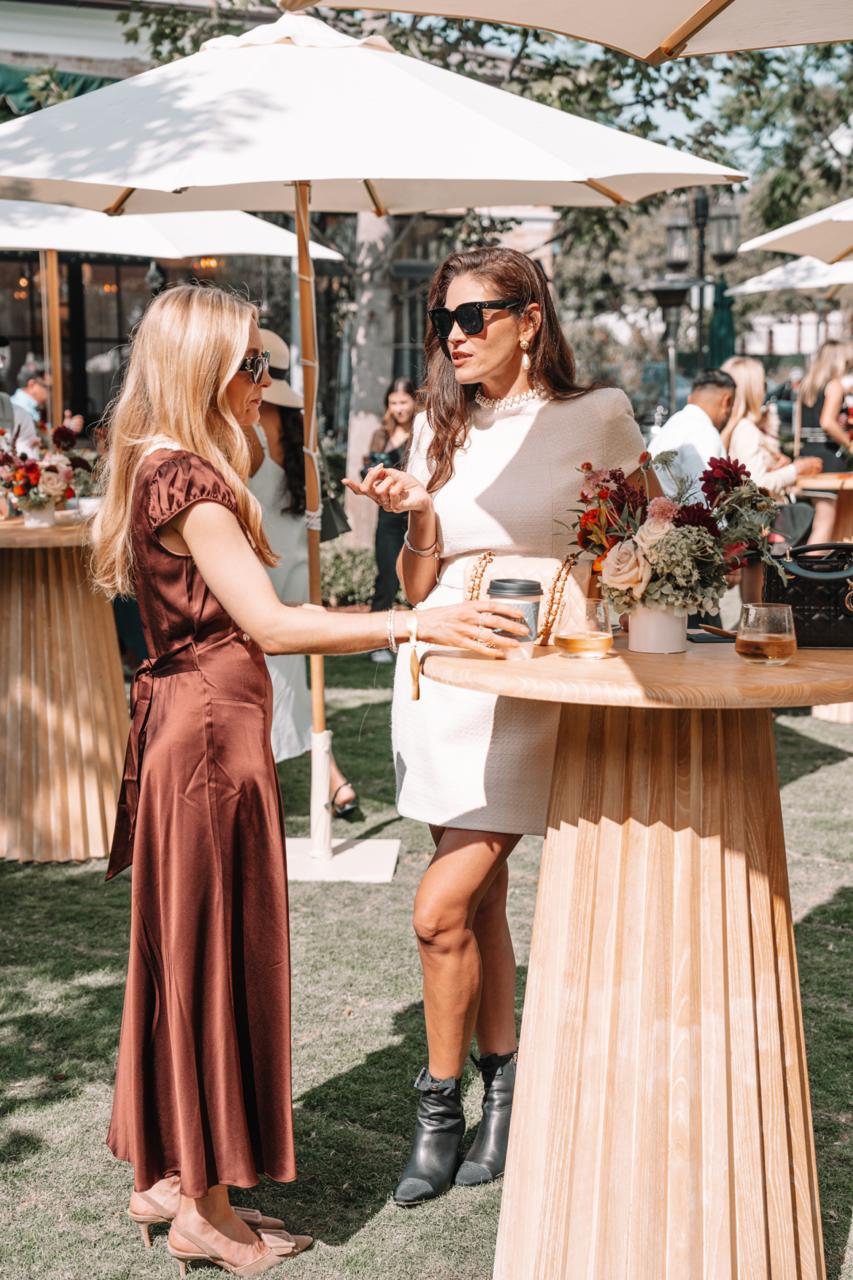
Case : Event photography for Palisades Village
Palisades Village is a premier outdoor shopping and lifestyle destination in Pacific Palisades, California. Capturing events at such an iconic venue requires a blend of candid storytelling, detailed commercial shots, and high-energy atmosphere photography. Below is a breakdown of how we captured the essence and vibrant energy of this event. Every great event begins with […]
More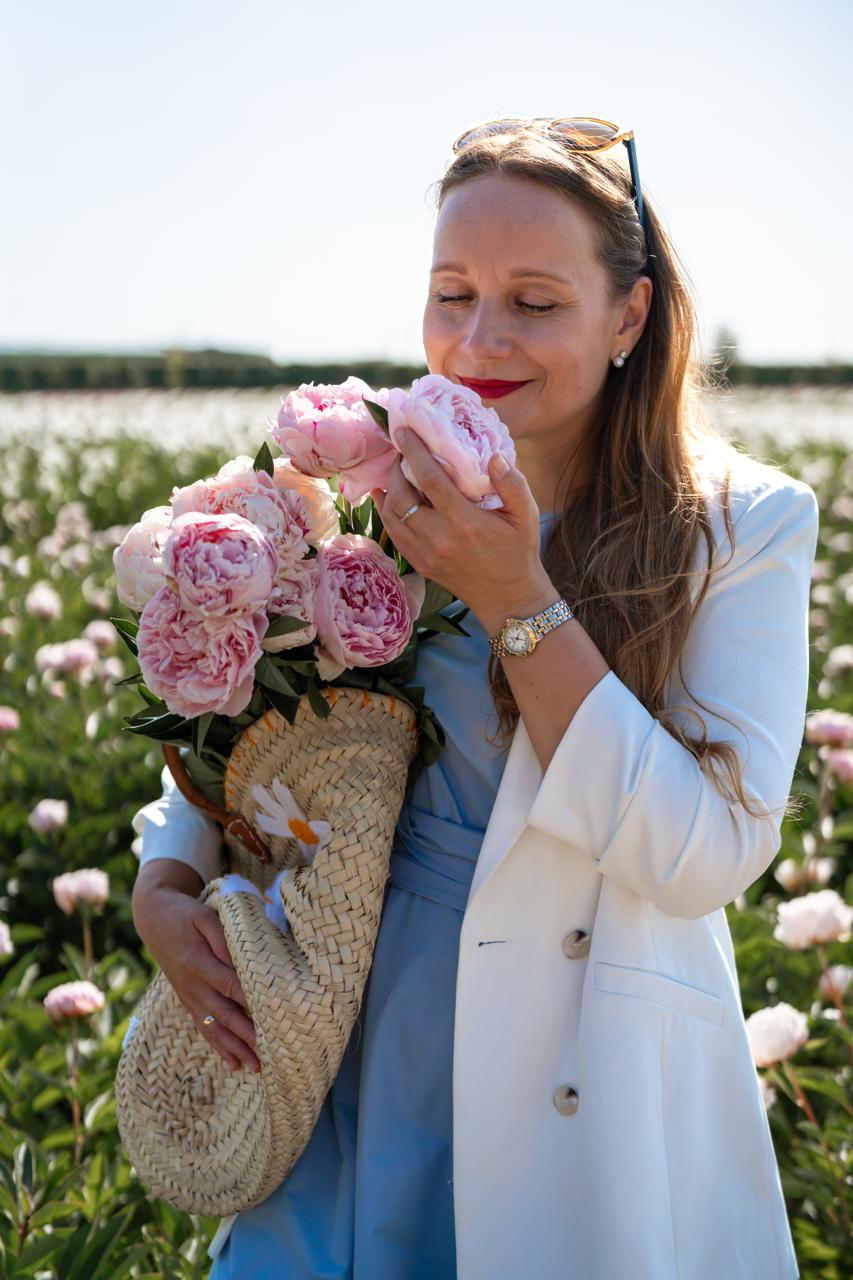
Case : Peony Field Photoshoot at Bury Lane Farm | Cambridge Photographer
This beautiful group portrait photography session took place in the breathtaking peony fields of Bury Lane Farm in Cambridgeshire. As a Cambridge photographer specialising in portrait photography and lifestyle photography, I love creating natural images that capture genuine emotions and meaningful moments. Nine wonderful women came together to enjoy an unforgettable summer afternoon surrounded by […]
More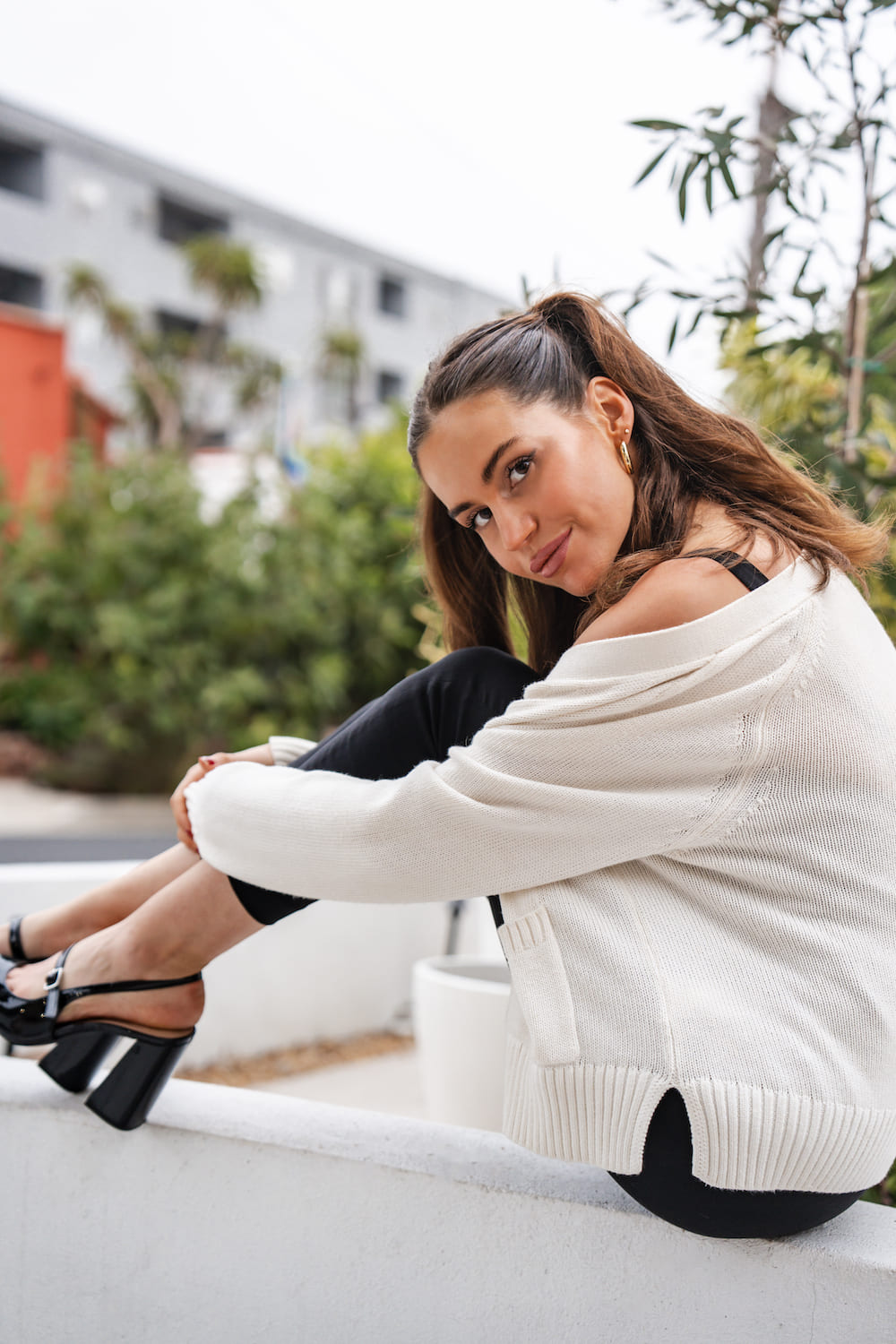
Case : Professional Headshot Photography in West Hollywood
I delivered personalized headshot photography sessions in West Hollywood for professionals seeking high-impact images for articles, corporate profiles, and social media. Client: Professionals and musicians looking to elevate their personal branding with compelling portraits. Objective: To create confident, authentic images that help clients make a memorable first impression. Process: 1. Consultation Discussed each client’s style […]
More