
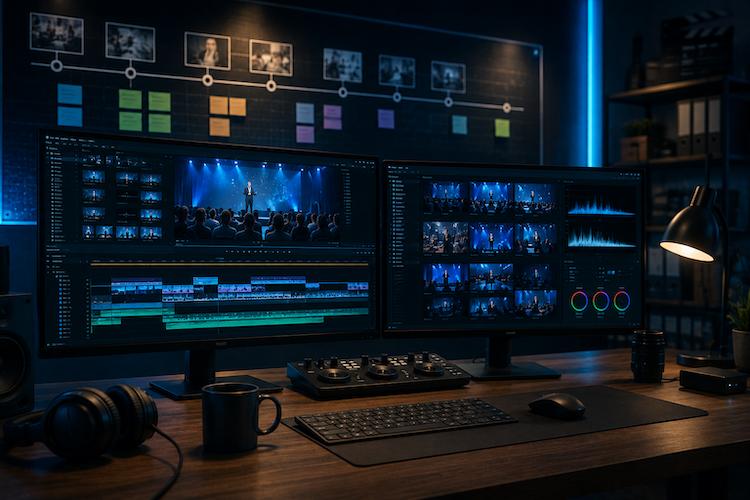
Event Video Editing Timeline
Introduction to Event Video Editing and its Importance in Capturing Special Moments
Video editing plays a crucial role in capturing and preserving special moments from events such as weddings, birthdays, corporate gatherings, and more. It allows us to relive those memories, share them with others, and create a compelling visual story that reflects the essence of the event.
Event video editing involves the process of selecting, arranging, and enhancing raw footage to create a cohesive and engaging final product. This requires technical skills, creativity, and attention to detail to transform hours of footage into a polished and professional video that captures the emotions and atmosphere of the event.
Whether you are a novice looking to learn the basics of event video editing or a seasoned professional seeking to enhance your skills, understanding the importance of this process is key. Through thoughtful editing, you have the power to craft a narrative, evoke emotions, and preserve memories that will be cherished for years to come.
- By skillfully editing event videos, you can highlight the key moments, expressions, and experiences that define the occasion.
- Through creative storytelling techniques, you can engage viewers and convey the unique atmosphere and energy of the event.
- Editing allows you to enhance the visual and auditory elements of the video, creating a more immersive and impactful viewing experience.
Ultimately, event video editing is not just about cutting and splicing footage together – it is about creating a meaningful and memorable representation of a special moment in time. Whether it’s a wedding video that captures the love and joy of the couple, a corporate video that showcases the success and achievements of a company, or a birthday video that celebrates the milestones and memories of a loved one, event video editing plays a vital role in preserving these moments for posterity.
Understanding the key components of a video editing timeline
When it comes to event video editing, having a clear understanding of the key components of a video editing timeline is crucial for creating a cohesive and engaging final product. A video editing timeline is essentially the foundation of your editing project, where you piece together all of your footage, transitions, effects, and audio to create a seamless and polished video.
- Clips: The basic building block of a video editing timeline is the clips of raw footage that you have captured during the event. These clips are imported into your editing software and arranged on the timeline in the order you want them to appear in the final video.
- Transitions: Transitions are used to smooth the cuts between clips and create a seamless flow between different scenes. Common transitions include fades, dissolves, wipes, and cuts.
- Audio: In addition to the visual elements of your video, audio is a crucial component of your editing timeline. This includes dialogue, music, sound effects, and voiceovers that will enhance the overall experience of your video.
- Effects: Effects such as color correction, filters, text overlays, and animations are used to enhance the visual impact of your video and create a professional-looking final product.
- Timeline Markers: Timeline markers are used to mark key points in your video, such as important moments, transitions, or specific edits. This allows you to efficiently navigate through your timeline and make adjustments as needed.
By understanding and mastering these key components of a video editing timeline, you can effectively bring your vision to life and create a compelling and engaging event video that captures the special moments of the occasion.
Preparing and Organizing Raw Footage for Efficient Editing
Before diving into the editing process, it is crucial to prepare and organize your raw footage to ensure a smooth and efficient workflow. By taking the time to set up a structured system, you can save yourself valuable time and eliminate unnecessary stress during the editing process.
- Create a Backup: The first step in preparing your raw footage is to create a backup of all your files. This ensures that you have a copy of your footage in case anything goes wrong during the editing process.
- Name and Label Files: Organize your raw footage by giving each file a descriptive name and labeling them with relevant information such as the date, location, or event. This will make it easier to locate specific clips when needed.
- Import Files into Editing Software: Once you have organized your files, import them into your editing software. Create separate folders or bins within the software to further organize your footage based on categories such as interviews, b-roll, or sound effects.
- Review and Trim Clips: After importing your footage, take the time to review each clip and trim out any unnecessary footage. This will help streamline the editing process and save you time in the long run.
- Create a Systematic Workflow: Develop a systematic workflow for organizing your raw footage based on the structure of your final edited video. This could include arranging clips in chronological order or grouping them based on themes or key moments.
By taking the time to prepare and organize your raw footage before starting the editing process, you can ensure a more efficient and streamlined workflow. This will allow you to focus on crafting a high-quality video that effectively captures the essence of the event and creates a memorable experience for viewers.
Setting up Your Editing Software and Workspace for Optimal Workflow
Once you have your raw footage ready to go, the next step is setting up your editing software and workspace to ensure a smooth and efficient editing process. Your editing software is where the magic happens, so it’s important to familiarize yourself with its features and layout before diving into the project.
First things first, make sure your software is up to date to avoid any technical issues. Set up your workspace in a way that makes sense to you – organize your tools, windows, and timelines in a way that allows you to easily access everything you need. This will help to streamline your workflow and save you time during the editing process.
Customize your keyboard shortcuts to match your preferences and speed up common tasks. This will help you work more efficiently and prevent you from constantly searching through menus for specific commands.
- Arrange your footage in a logical order – whether by scene, shot type, or any other method that makes sense for your project. This will make it easier to find specific clips when you need them.
- Create folders for different elements of your project – such as audio files, graphics, and effects – to keep everything organized and easily accessible.
- Set up a system for labeling your footage – consider using color coding or naming conventions to quickly identify different types of clips.
- Adjust your editing settings – such as resolution, frame rate, and aspect ratio – to match the requirements of your project. This will ensure your final video looks its best on all platforms.
By taking the time to set up your editing software and workspace properly, you’ll set yourself up for success and make the editing process a breeze. A well-organized workspace can help you stay focused, efficient, and creative throughout the entire editing process. Now that you’re all set up, it’s time to start crafting your masterpiece!
Establishing a clear vision and goal for the final edited video
Before diving into the world of event video editing, it’s essential to take a step back and establish a clear vision for the final product. Think about what you want the video to achieve – is it to showcase the highlights of an event, evoke certain emotions, or tell a compelling story? By defining your goal early on, you’ll have a roadmap to guide your editing process and ensure that every decision you make aligns with the overall vision.
When setting your goals, consider the audience you are creating the video for. What do you want them to feel or take away from watching the video? Understanding your target audience will help you tailor the content and style of the video to resonate with them and meet their expectations.
- Define the message: Clearly outline the main message or theme you want to convey through the video. This could be celebrating an event, promoting a brand, or sharing a personal story. Having a clear message will drive the content and pacing of the video.
- Identify key moments: In order to achieve your goal, pinpoint the key moments from the raw footage that best capture the essence of the event. These moments will serve as the foundation for your editing process and help you create a cohesive storyline.
- Consider the visuals: Think about how you want the video to look and feel visually. Are there specific color schemes, visual effects, or typography that will enhance the overall aesthetic of the video and amplify its impact?
- Align with branding: If the video is for a particular brand or organization, ensure that the editing style and tone align with their branding guidelines. Consistency in branding will help strengthen the message and create a cohesive viewing experience.
By establishing a clear vision and goal for the final edited video, you’ll not only create a more focused and impactful video but also stay true to the purpose and meaning behind the event you are capturing.
Creating a detailed storyboard or shot list to guide your editing process
Before diving into the editing process, it is essential to have a clear plan in place. One of the most effective ways to stay organized and focused during editing is to create a detailed storyboard or shot list. This visual roadmap will serve as a guide throughout the editing process, ensuring that you capture all the key moments and sequences needed to tell the story effectively.
- Storyboard: A storyboard is a series of sketched or digitally created images that visually represent each scene in your video. It helps you visualize the flow of your video, the composition of each shot, and the overall narrative structure. You can include notes or descriptions to provide further context for each scene.
- Shot list: A shot list is a detailed checklist of all the shots you need to capture during the event. It includes information such as the type of shot (wide, close-up, medium), camera angles, camera movements, and any specific details that need to be captured. Having a shot list ensures that you cover all the necessary footage and reduces the likelihood of missing important moments during editing.
By creating a storyboard or shot list before starting the editing process, you are setting yourself up for success. Not only does it help you stay organized and focused, but it also allows you to convey your vision more clearly to clients or team members involved in the project. You can use the storyboard or shot list as a reference point throughout the editing process, ensuring that you stay on track and deliver a final product that meets the desired outcome.
Remember, the goal of a storyboard or shot list is to streamline the editing process and make it more efficient. By planning ahead and mapping out your vision for the video, you are better equipped to tell a compelling story and create a visually engaging final product that resonates with viewers. So, take the time to create a detailed storyboard or shot list before getting started – it will save you time and effort in the long run.
Implementing Professional Editing Techniques to Enhance the Quality of Your Video
Once you have all your raw footage organized and your workspace set up, it’s time to start implementing professional editing techniques to take your event video to the next level. Professional editing techniques can make a significant difference in the overall quality of your video and help you create a polished final product that captures the essence of the event.
- Color Correction and Grading: One of the key aspects of professional editing is color correction and grading. This technique involves adjusting the color balance, contrast, and overall look of your video to make it more visually appealing and consistent.
- Visual Effects: Adding visual effects can enhance the storytelling of your video by adding elements like text overlays, transitions, and graphics. Just be sure not to overdo it – less is often more when it comes to visual effects.
- Audio Editing: Pay attention to the audio quality of your video. Use techniques like music mixing, noise reduction, and voiceover enhancements to ensure that the audio complements the visuals and adds to the overall viewing experience.
- Transitions and Cuts: Smooth transitions between shots and well-timed cuts are crucial for maintaining the flow of your video. Experiment with different transition effects and cuts to find the best way to tell your story.
- Slow Motion and Time Lapses: Using techniques like slow motion or time lapses can add an artistic touch to your video and create engaging visual interest.
Remember, the goal of professional editing techniques is to enhance the quality of your video without overshadowing the content or message you are trying to convey. It’s all about finding a balance between technical expertise and storytelling intuition to create a video that resonates with your audience.
By incorporating professional editing techniques into your workflow, you’ll be able to elevate the quality of your event videos and create memorable, impactful content that captures the essence of the special moments you are showcasing.
Adding music, sound effects, and voiceovers to enhance the overall experience of the video
One of the key aspects of creating a captivating event video is adding elements like music, sound effects, and voiceovers to enhance the overall experience for your viewers. These elements can help set the mood, highlight key moments, and build emotion throughout the video.
- Choosing the right music: Music is a powerful tool that can evoke emotions and enhance the storytelling in your video. Consider selecting tracks that complement the tone and pace of your footage. Upbeat music can create excitement, while slow, melodic tunes can add a sense of drama or nostalgia.
- Utilizing sound effects: Sound effects can help create a sense of realism and immerse viewers in the events of your video. Whether it’s the sound of cheering crowds at an event or the rustling of leaves in a serene outdoor setting, adding the right sound effects can elevate the overall viewing experience.
- Implementing voiceovers: Voiceovers are a great way to provide context, narration, or insights into the events happening on screen. Whether it’s a professional voiceover artist guiding viewers through the video or the voices of participants sharing their thoughts and experiences, adding voiceovers can add depth and a personal touch to your video.
When adding these elements to your event video, it’s important to consider balance and timing. The music, sound effects, and voiceovers should enhance the visuals without overpowering them. Make sure the volume levels are adjusted appropriately, so they complement the overall audio mix of the video.
Additionally, pay attention to copyright laws when using music and sound effects in your video. Make sure you have the necessary licenses or permissions to use certain tracks to avoid any legal issues down the line.
By carefully selecting and incorporating music, sound effects, and voiceovers into your event video, you can create a more engaging and memorable viewing experience for your audience. These elements can elevate the emotional impact of your video and help reinforce the message or story you want to convey.
Fine-tuning the pacing and transitions of the video to engage viewers
Once you have assembled your raw footage and started the editing process, it is important to pay close attention to the pacing and transitions of your video. Pacing refers to the speed at which your video progresses, while transitions are the effects and techniques used to move between different shots or scenes.
- Pacing: The pacing of your video can greatly impact the viewer’s experience. If your video moves too quickly, viewers may feel overwhelmed or miss important moments. On the other hand, if it moves too slowly, viewers may lose interest. It is crucial to find the right balance by adjusting the length of clips, adding pauses for dramatic effect, and maintaining a consistent rhythm throughout the video.
- Transitions: Smooth transitions help create a cohesive flow between different shots and scenes. There are various transition effects available in editing software, such as fades, wipes, and cuts. It is important to use transitions sparingly and purposefully to avoid distracting the viewer from the main content. Experiment with different transition options to find what works best for the tone and style of your video.
By fine-tuning the pacing and transitions of your video, you can enhance its overall quality and keep viewers engaged from start to finish. Remember to consider the tone of the video, the emotions you want to evoke, and the story you want to tell when making these decisions.
Collaborating with Clients or Team Members to Incorporate Feedback and Make Necessary Revisions
One of the key aspects of event video editing is collaborating with clients or team members to ensure that the final product meets their expectations. Feedback is a crucial part of the editing process, as it provides valuable insights and perspectives that can help improve the overall quality of the video.
- Communication is Key: It is important to maintain open lines of communication with your clients or team members throughout the editing process. Regular check-ins and updates can help prevent misunderstandings and ensure that everyone is on the same page.
- Welcome Constructive Criticism: It can be tough to receive criticism about your work, but it is essential to remember that feedback is not personal. Encouraging clients or team members to provide honest and constructive feedback will ultimately lead to a better end result.
- Implementing Revisions: Taking feedback into account, be prepared to make necessary revisions to the video. This may involve reordering clips, adjusting pacing, or fine-tuning transitions to better align with the desired vision.
- Seeking Approval: Before finalizing the video, it is important to seek approval from clients or team members to ensure that all requested changes have been implemented satisfactorily. This step helps prevent any last-minute surprises or disappointments.
- Respecting Different Perspectives: Keep in mind that everyone has different preferences and opinions when it comes to video editing. Be open to exploring new ideas and suggestions, even if they may differ from your initial vision.
Remember, collaboration is a two-way street. By actively involving clients or team members in the editing process and incorporating their feedback, you can create a final product that not only meets their expectations but also exceeds them. Working together towards a shared goal will result in a successful event video that captures special moments and leaves a lasting impression on viewers.
Exporting and delivering the final edited video in the appropriate format for different platforms
Congratulations! You’ve put in all the hard work, creativity, and attention to detail to create a fantastic event video. Now, it’s time to share your masterpiece with the world. To ensure your video looks its best on various platforms, you’ll need to export and deliver it in the right format.
- Choosing the right format: Before exporting your video, consider where it will be shared. Different platforms have specific requirements for video format and resolution. For example, YouTube prefers .mp4 files, while Instagram often works best with .mov files. Make sure to research the recommended formats for each platform to avoid compatibility issues.
- Adjusting settings: Most editing software programs offer a range of export settings to customize the quality and file size of your video. Balance between high quality and a reasonable file size to ensure fast loading times and optimal viewing experiences for your audience.
- Adding metadata: Sometimes overlooked, but essential for improving searchability and SEO, adding metadata such as title, description, keywords, and thumbnail previews will help your video stand out and attract viewers.
- Test before sharing: Don’t rush to upload your video without double-checking the final product. Watch the video from start to finish to catch any last-minute mistakes or glitches. Testing on different devices and platforms can also help identify any compatibility issues before sharing your video.
- Consider creating multiple versions: To cater to a diverse audience and attract more viewers, consider creating different versions of your video optimized for various platforms. Tailoring the format and content to suit the preferences of each platform can help maximize engagement and reach.
Remember, the goal is to have your video viewed and appreciated by as many people as possible. By exporting and delivering your video in the appropriate format for different platforms, you can ensure that your hard work pays off and that your event video reaches its full potential.
Reflecting on the Editing Process
After completing a project, it’s important to take a step back and reflect on the editing process. This reflection can help you learn from your experiences and make improvements for future event video editing timelines.
- Reviewing Your Work: Take the time to watch the final edited video and analyze both the things that worked well and areas that could be improved. Pay attention to details such as pacing, transitions, and overall storytelling.
- Solicit Feedback: Reach out to clients or team members involved in the project to gather their thoughts on the edited video. Ask for specific feedback on what they liked and what could have been done differently.
- Identify Challenges: Make note of any challenges you encountered during the editing process. This could include technical issues, creative roadblocks, or communication breakdowns. Understanding these challenges can help you troubleshoot them in the future.
- Highlight Successes: Celebrate the things that went well during the editing process. Whether it’s a particularly well-executed transition or a creative use of music, acknowledging your successes can boost your confidence and inspire you for future projects.
- Continuous Learning: Keep up with trends in video editing and seek out opportunities to improve your skills. Whether it’s through online tutorials, workshops, or networking with other videographers, never stop learning and growing in your craft.
By reflecting on each project, you can gain insight into your strengths and weaknesses as a video editor. This self-awareness can guide you in refining your editing process and techniques for future event video editing timelines.
More
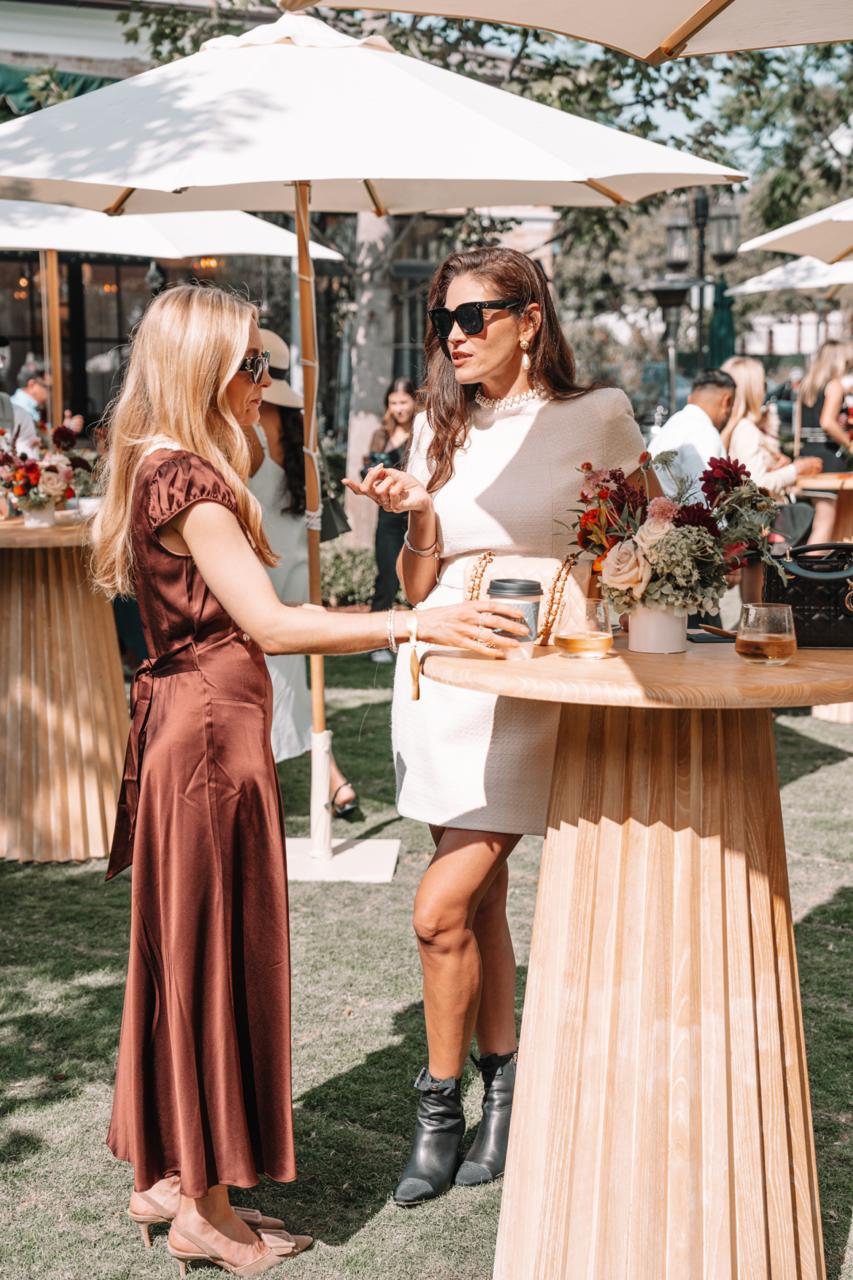
Case : Event photography for Palisades Village
Palisades Village is a premier outdoor shopping and lifestyle destination in Pacific Palisades, California. Capturing events at such an iconic venue requires a blend of candid storytelling, detailed commercial shots, and high-energy atmosphere photography. Below is a breakdown of how we captured the essence and vibrant energy of this event. Every great event begins with […]
More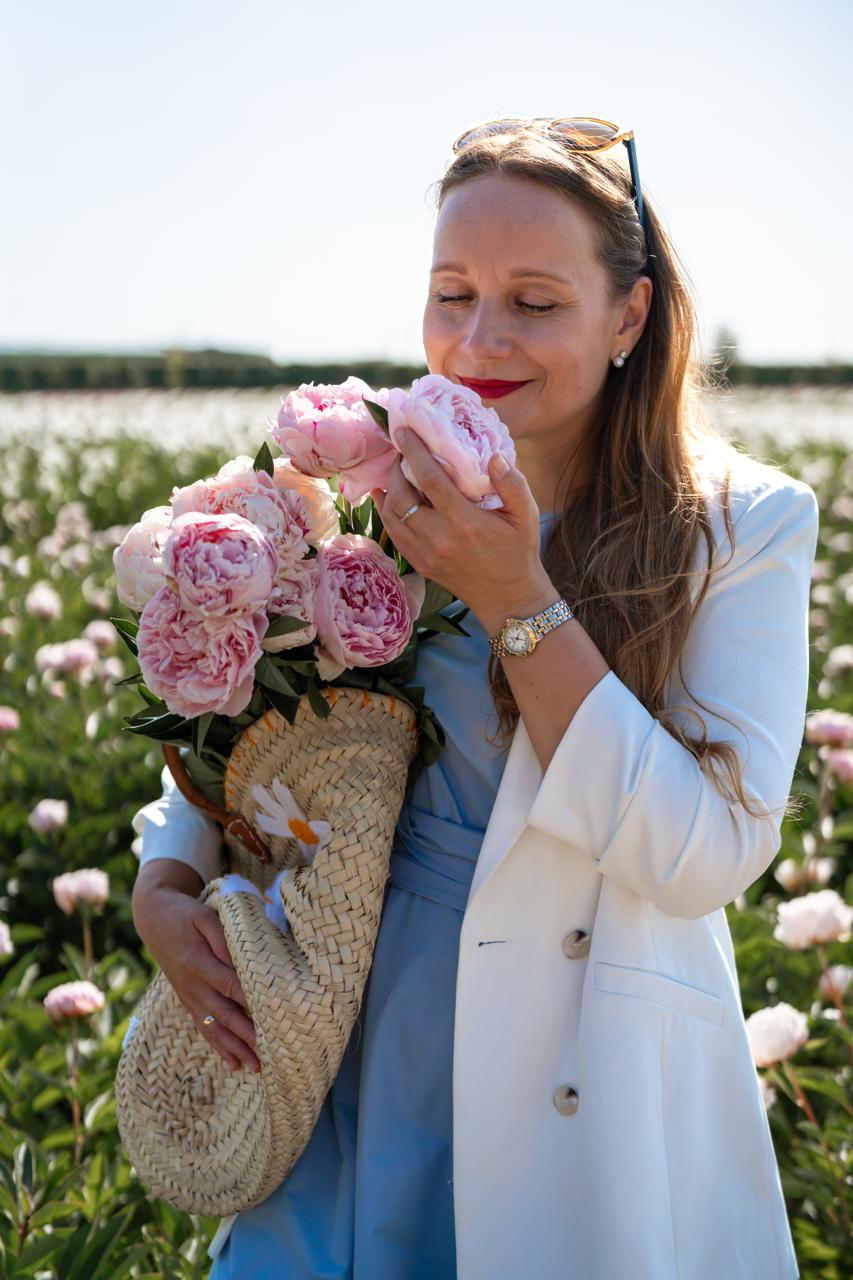
Case : Peony Field Photoshoot at Bury Lane Farm | Cambridge Photographer
This beautiful group portrait photography session took place in the breathtaking peony fields of Bury Lane Farm in Cambridgeshire. As a Cambridge photographer specialising in portrait photography and lifestyle photography, I love creating natural images that capture genuine emotions and meaningful moments. Nine wonderful women came together to enjoy an unforgettable summer afternoon surrounded by […]
More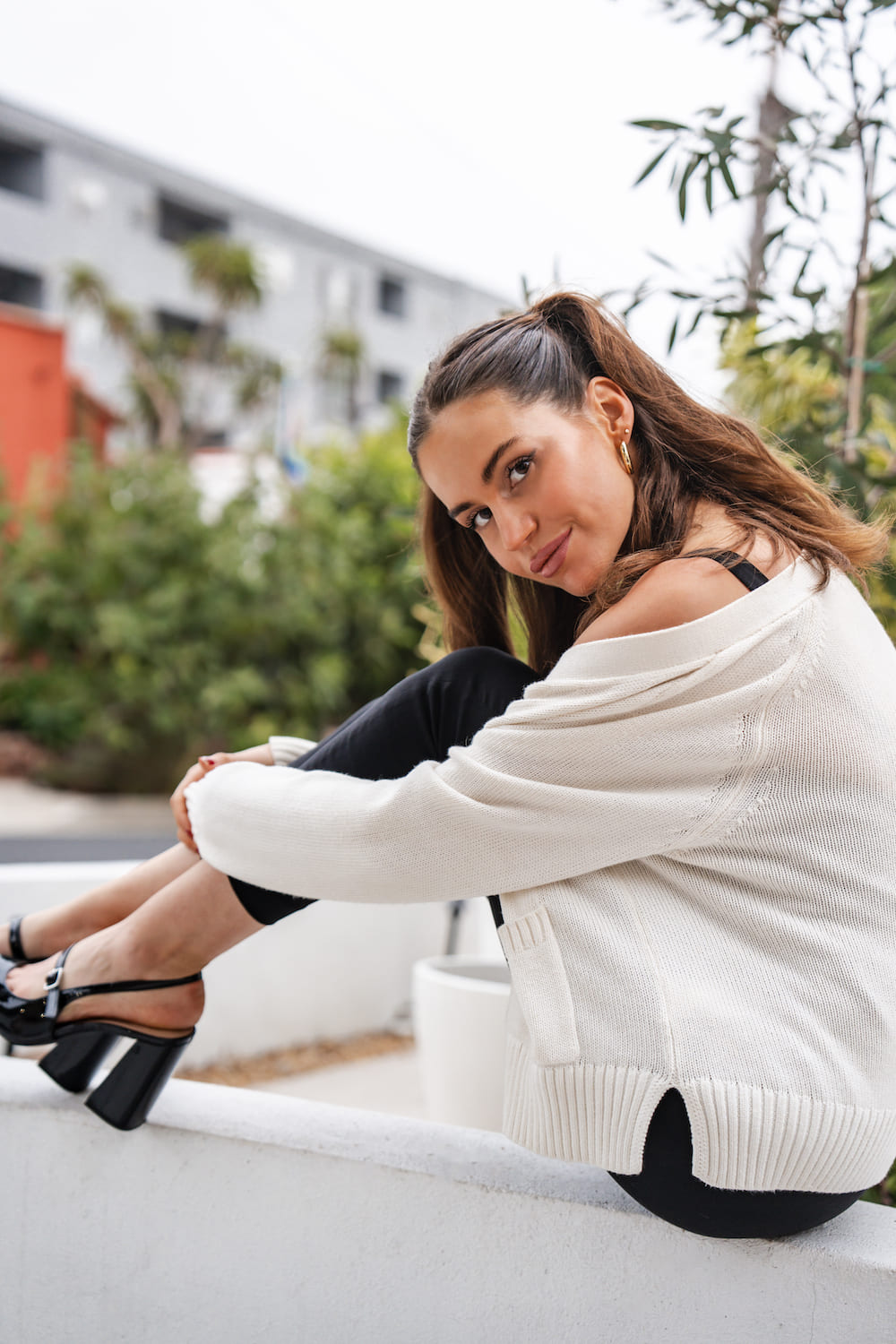
Case : Professional Headshot Photography in West Hollywood
I delivered personalized headshot photography sessions in West Hollywood for professionals seeking high-impact images for articles, corporate profiles, and social media. Client: Professionals and musicians looking to elevate their personal branding with compelling portraits. Objective: To create confident, authentic images that help clients make a memorable first impression. Process: 1. Consultation Discussed each client’s style […]
More